App Store screenshot sizes (2026)
Every size for iPhone and iPad, with the ones you must upload marked. Tap a size to copy it.
iPhone
iPad
Portrait sizes shown, landscape is the same numbers swapped. Source: Apple's screenshot specifications, checked November 2026.
What to put on them
The size gets your screenshots accepted. What is on them decides whether anyone downloads. These are the rules we use for our own apps.
One promise per frame. Each screenshot sells one thing, in one short headline above the phone. "Wake up in light sleep" sells. A screenshot of the settings screen does not.
The first two frames do the work. Most people never swipe. Put the core promise and the proof of it first, and the feature list later.
Rewrite per language. If your app is localized, so are the screenshots, with the headline rewritten, not translated, and the app inside the frame in that language too. Our sleep app Dozy has seven previews, redrawn in 20 languages.
Design at the required size. Build your template at 1206 × 2622 and export everything else from it, so the type stays sharp and you keep one source of truth.
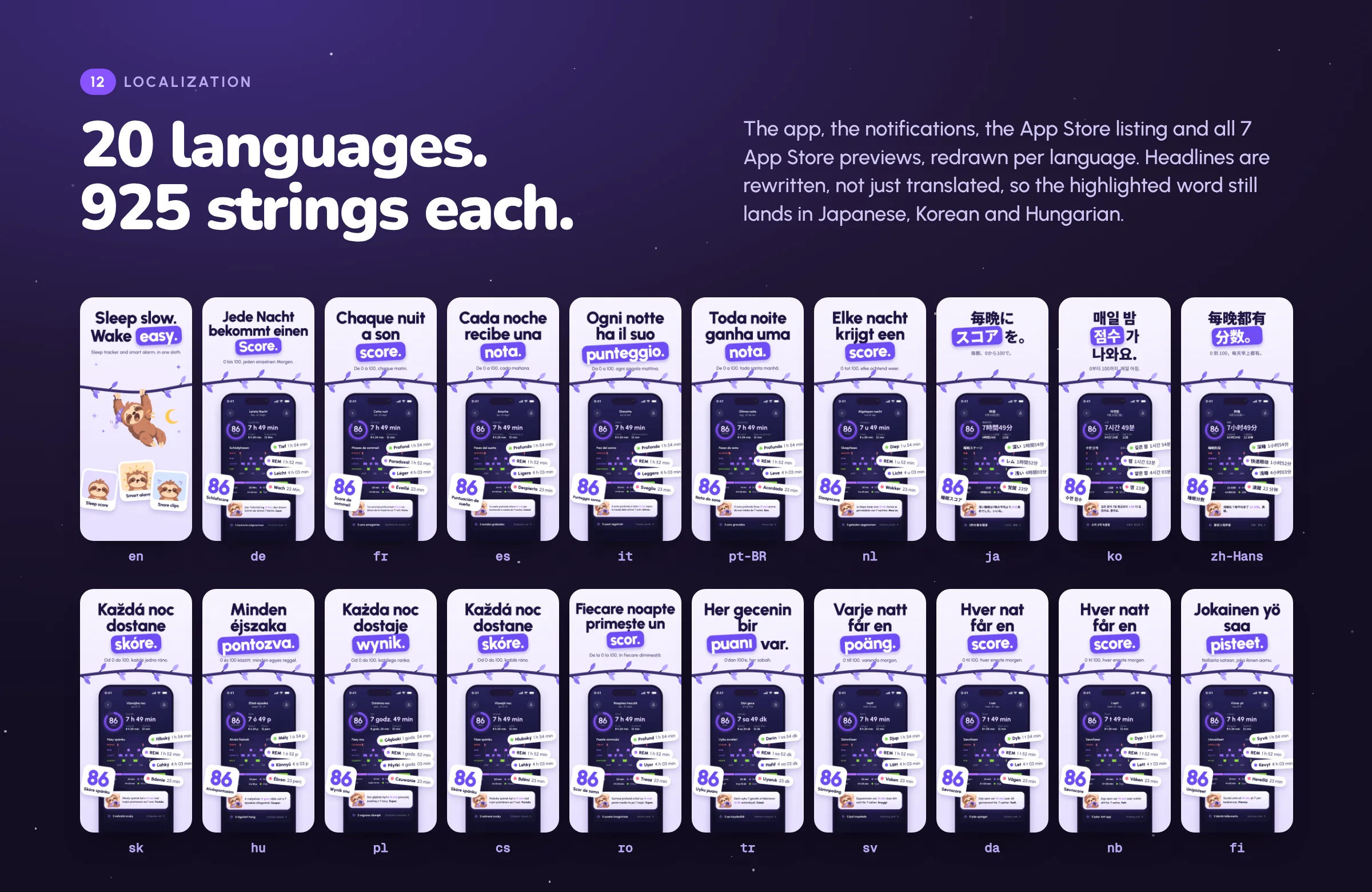 See Dozy's previews in all 20 languages →
Questions
What size should App Store screenshots be in 2026?
For iPhone, the required size is the Dynamic Island medium display: 1206 × 2622 or 1179 × 2556 pixels in portrait. If your app runs on iPad, you also need the 13 inch iPad size: 2064 × 2752 or 2048 × 2732 pixels. Smaller sizes are scaled down from these automatically.
How many screenshots can I upload to the App Store?
Between 1 and 10 per device size, as JPEG or PNG, with no transparency.
Do I need screenshots for every iPhone size?
No. If your interface looks the same across sizes, upload the required size and App Store Connect scales it down for the smaller displays.
Should App Store screenshots be localized?
Yes, if your app is. Upload screenshots per language, with the headline rewritten for that language and the app shown in that language inside the frame.